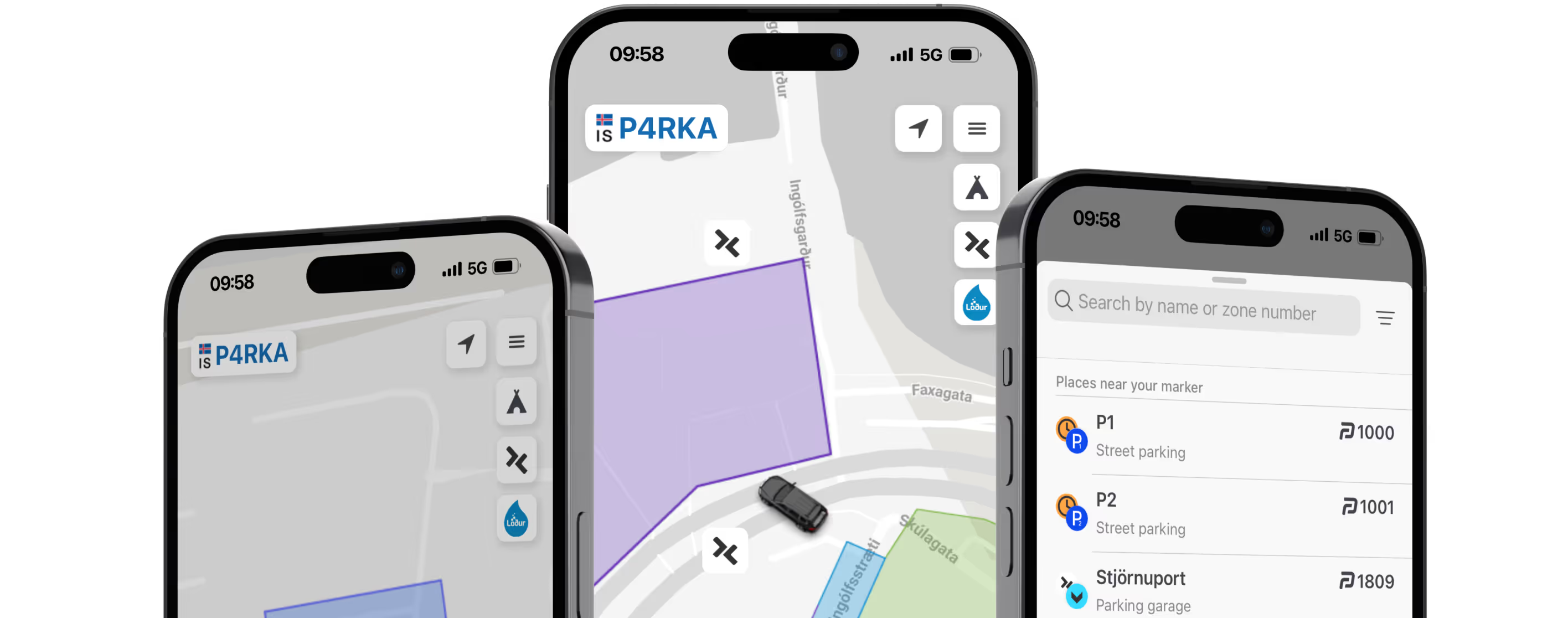
Most used Parking app in Iceland
Skip the machine. Pay with your phone, from city streets to the Icelandic wilderness. All in one app.


Trusted by

340,000+
Active Parka users
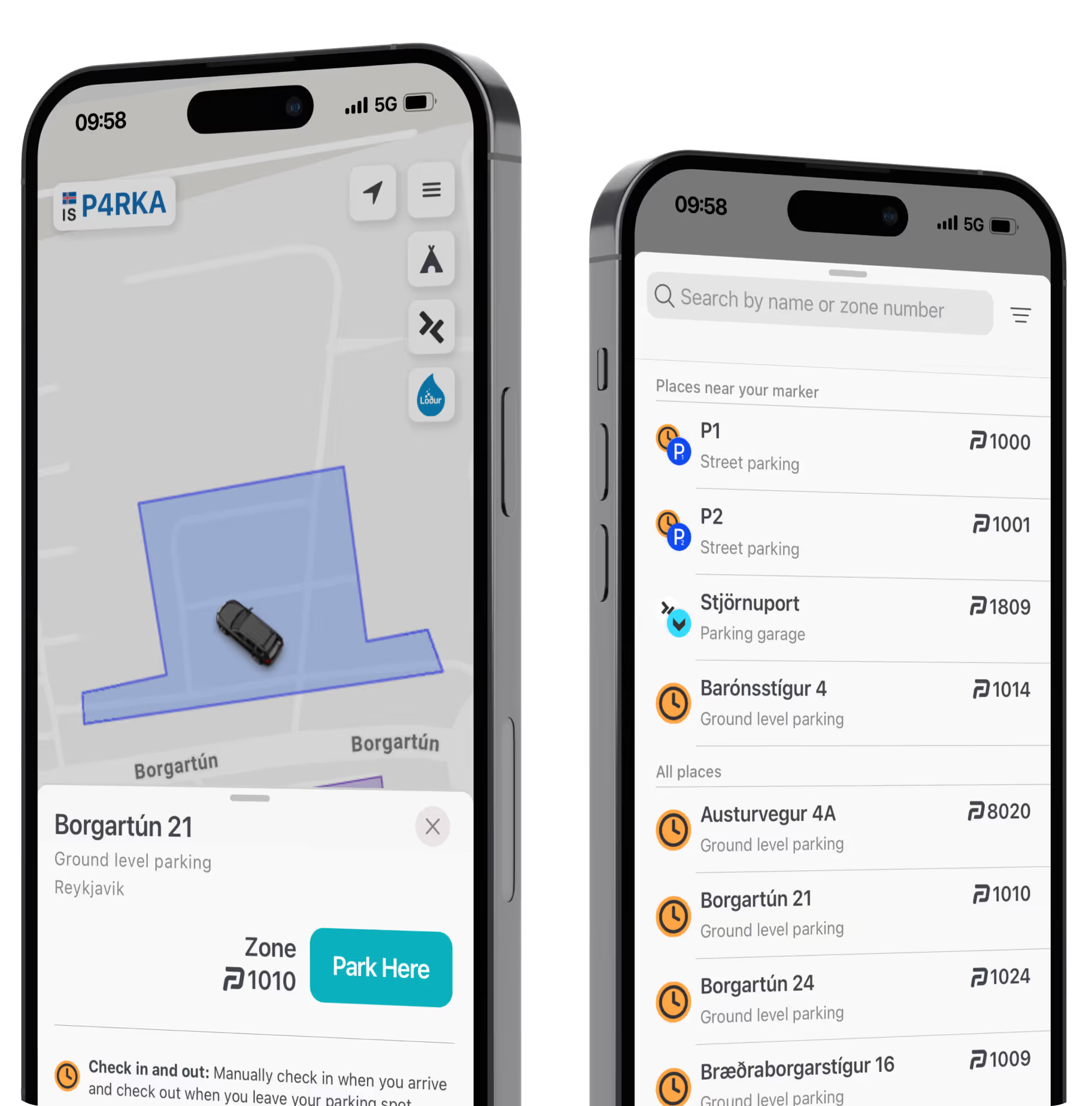
Parka in 3 easy steps
1
Select the car
You can easily select or add a new car by tapping the license plate number.
2
Choose the location
Search for spots by zone, name, or location. Checking nearby signs can be helpful.
3
Pay for parking
With notifications turned on, you’ll receive helpful alerts and reminders.
You’ll find us almost everywhere

In town
Chances are, if there’s parking, Parka works there.

Travel and tourist destinations
Seamless parking payments at popular tourist destinations and airports all around Iceland.

Parking garages
Easier access to parking garages. Use the Parka app to simplify payments.
You can activate Pay by Plate at selected parking garages.
Learn more about Pay by Plate

Parka Camping & Tjalda.is
Explore campsites across Iceland and find the one that suits your adventure. Compare facilities, prices, and availability, then book ahead or travel freely and drop in.

Trusted across Iceland
Parka Users
343,984
Parking Zones
82
Campsites
38
Car Wash Stations
14
FAQ
Here you can find answers to the most frequently asked questions about our service.
Where and how does Pay by Plate work?
With Pay by Plate, you can enable automatic check-in and check-out at selected parking garages.
Cameras read your license plate and automatically charge for your parking or service through the Parka app.
How to activate Pay by Plate
- Tap the Pay by Plate icon on the right side of the menu
- Enable the service by ticking the selected license plate
- Set the validity period if applicable
Places that support Pay by Plate
- Bergstaðir
- Hafnartorg
- Kolaport
- Ráðhúsið
- Vesturgata
- Traðarkot
- Vitatorg
- Stjörnuport
- Landsbankinn
- Reykjastræti
- Harpa
Read more about Pay by Plate
Cameras read your license plate and automatically charge for your parking or service through the Parka app.
How to activate Pay by Plate
- Tap the Pay by Plate icon on the right side of the menu
- Enable the service by ticking the selected license plate
- Set the validity period if applicable
Places that support Pay by Plate
- Bergstaðir
- Hafnartorg
- Kolaport
- Ráðhúsið
- Vesturgata
- Traðarkot
- Vitatorg
- Stjörnuport
- Landsbankinn
- Reykjastræti
- Harpa
Read more about Pay by Plate
How do I turn on notifications?
- Tap the menu icon in the top right corner
- Tap YOUR PROFILE
- Tap Settings & Subscription
- Tap the type of checkout reminder you wish to receive
- Tap YOUR PROFILE
- Tap Settings & Subscription
- Tap the type of checkout reminder you wish to receive
How do I add a payment card?
- Tap the menu icon in the top right corner
- Tap YOUR PROFILE
- Tap My CardsTap + ADD CARD
- Type your card number, expiry date and CVC number
- Tap 0 ISK to verify your card
- In your banking app, approve the transaction for 0 ISK
- Tap YOUR PROFILE
- Tap My CardsTap + ADD CARD
- Type your card number, expiry date and CVC number
- Tap 0 ISK to verify your card
- In your banking app, approve the transaction for 0 ISK
I have a disability parking permit (P-Card)
If you park in privately operated parking spaces serviced by Parka, the cameras only read the license plate and do not detect the disabled parking permit (P-Card) displayed in the windshield.
To avoid a parking fee, we recommend paying.
After your visit, you can request a refund by submitting a refund request. Please include a photo of your P-card with the request.
To avoid a parking fee, we recommend paying.
After your visit, you can request a refund by submitting a refund request. Please include a photo of your P-card with the request.
How do I change license plates?
To add a car:
- Tap the license plate in the top left corner of the app
- Under Add a vehicle, type the new license plate
- Tap Save
To remove a car:
- Tap the license plate in the top left corner of the app
- For the car you want to remove, tap Manage
- Tap Remove
- Tap the license plate in the top left corner of the app
- Under Add a vehicle, type the new license plate
- Tap Save
To remove a car:
- Tap the license plate in the top left corner of the app
- For the car you want to remove, tap Manage
- Tap Remove
What happens if I don´t pay?
A late payment fee will be applied to unpaid stays. On most Parka serviced parking areas, you can pay online up to 24 hours after your stay: Pay for Parking.
When filling out the Pay for Parking form, remember to specify the hours your vehicle was actually parked.
If the stay is not paid for, a claim will be sent to the vehicle owner’s, including the late payment fee.
Please note that Parka does not handle collections. You can review the rules and submit a request for a waiver of additional fees on the following pages:
- Autopay
- Bílastæðasjóður Akureyrar
- Bílastæðasjóður Reykjavíkurborgar
- Green Parking
- Gulur bíll
- My Parking
When filling out the Pay for Parking form, remember to specify the hours your vehicle was actually parked.
If the stay is not paid for, a claim will be sent to the vehicle owner’s, including the late payment fee.
Please note that Parka does not handle collections. You can review the rules and submit a request for a waiver of additional fees on the following pages:
- Autopay
- Bílastæðasjóður Akureyrar
- Bílastæðasjóður Reykjavíkurborgar
- Green Parking
- Gulur bíll
- My Parking
Ready to park easier and smarter?
Download the app and start using Parka today.